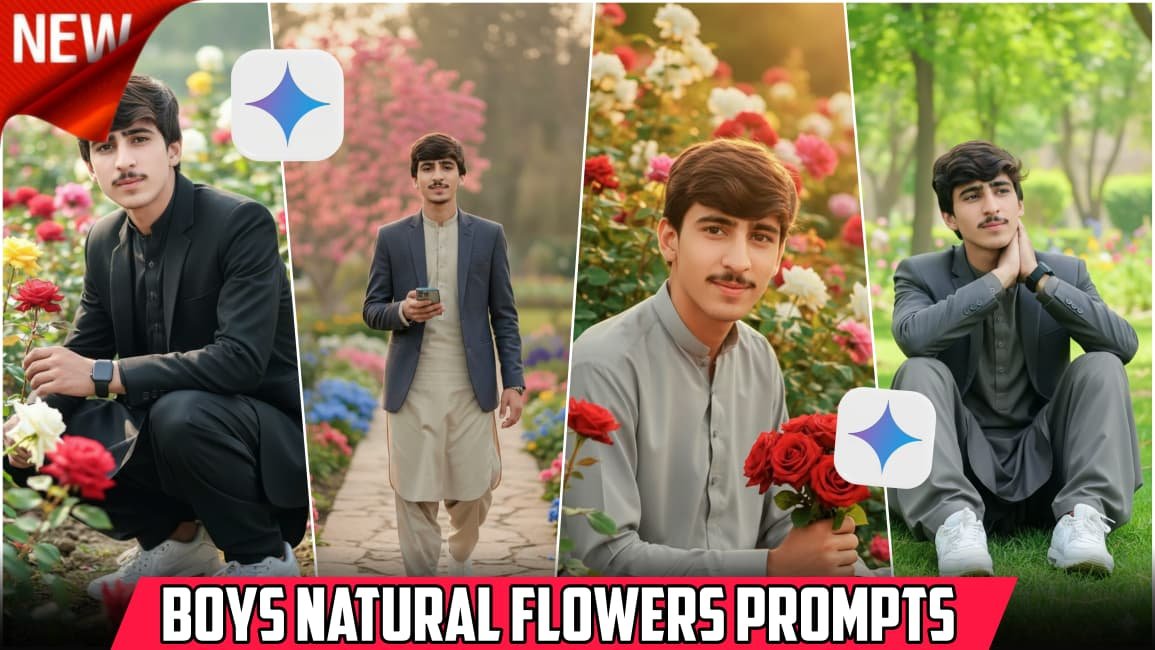
Some photo edits just look too fake. You know the type — heavy colors, strange skin tones, and flowers floating around like a video game effect. A lot of people are getting tired of that now. These days, many users want soft and natural-looking edits, especially for boys’ portraits with flowers in the background or around the face.
Google Gemini is slowly becoming popular for this kind of creative editing idea. I have seen that people like it because the results can feel more clean and realistic compared to random editing apps. The flower style edits are everywhere on social media right now, especially Instagram and TikTok reels.
The interesting thing is that these edits are not always about making the photo “perfect.” Sometimes the small natural details make the picture look better.
Why People Like Natural Flower Editing
Flowers give a soft look to photos. Even simple pictures start feeling fresh and calm. Boys usually go for darker edits or sharp effects, but natural flower edits are different. They look light, peaceful, and more aesthetic.
Many people try this style because it works well with outdoor photos. Parks, roadsides, gardens, or even simple daylight selfies can look really nice after editing.
I have noticed one thing too — natural edits usually get better reactions online. Maybe because they don’t look too overdone.
What Makes Gemini-Style Editing Different
A lot of editing tools add too much smoothing or unrealistic colors. Gemini-style editing focuses more on balance. The skin stays natural, the flowers blend properly, and the background doesn’t become messy.
Sometimes it doesn’t work perfectly, and that’s okay. A photo with small imperfections can still look amazing.
The best part is the soft flower placement. Instead of covering the whole image, the flowers are usually added around the shoulders, hair, hands, or side background areas. That small detail changes the full mood of the photo.
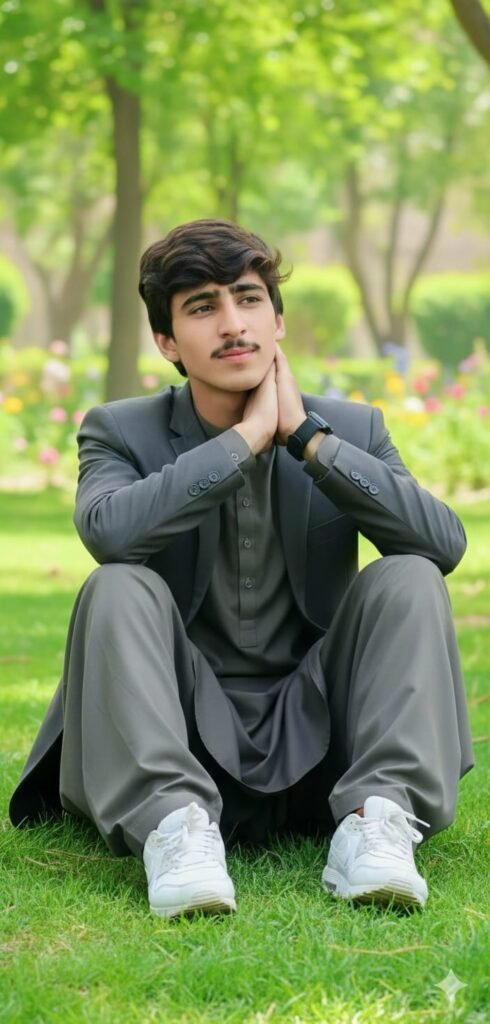
Create an ultra-realistic 8K Ultra HD portrait of the young man from the uploaded image. His face must be a 100% exact match to the original photo with no changes. He should be sitting tilted to one side on the green grass of a park or garden, with lush green nature in the background. One hand should be placed on his neck. He is wearing a shalwar kameez and stylish blazer, white Nike Air Max sneakers, and a black smartwatch. His hair is styled with volume.
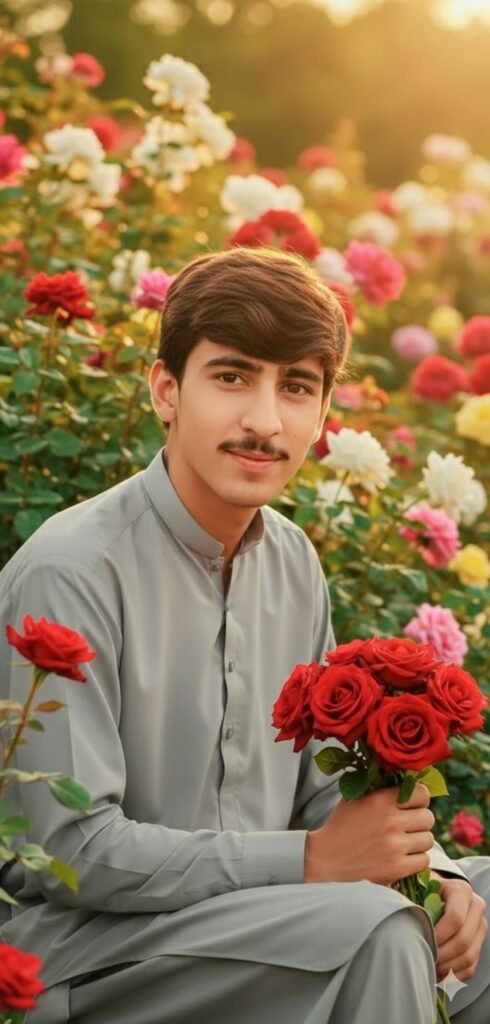
Create a dreamy portrait of a young man sitting in a beautiful rose garden during golden hour. He wears a light grey shalwar kameez, holding red roses in his hand. Warm sunlight hitting his face softly, shallow depth of field, vibrant flowers around him, ultra-HD, cinematic photography style, natural skin tones.
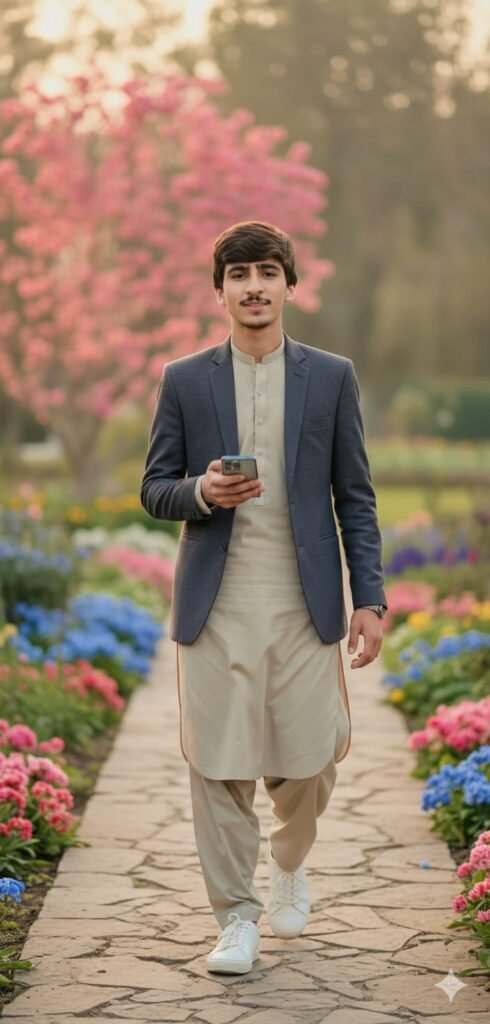
A stylish young man walking confidently on a garden pathway, wearing a shalwar kameez and stylish blazer, white sneakers, , other hand holding phone, soft confident smile, calm eyes, cinematic lighting, shallow depth of field, background full of colorful flowers, pink and blue blossoms, spring vibes, ultra realistic, DSLR photo, 8k quality, same male face, identical facial structure, same hairstyle, same beard style, same skin tone, face consistency
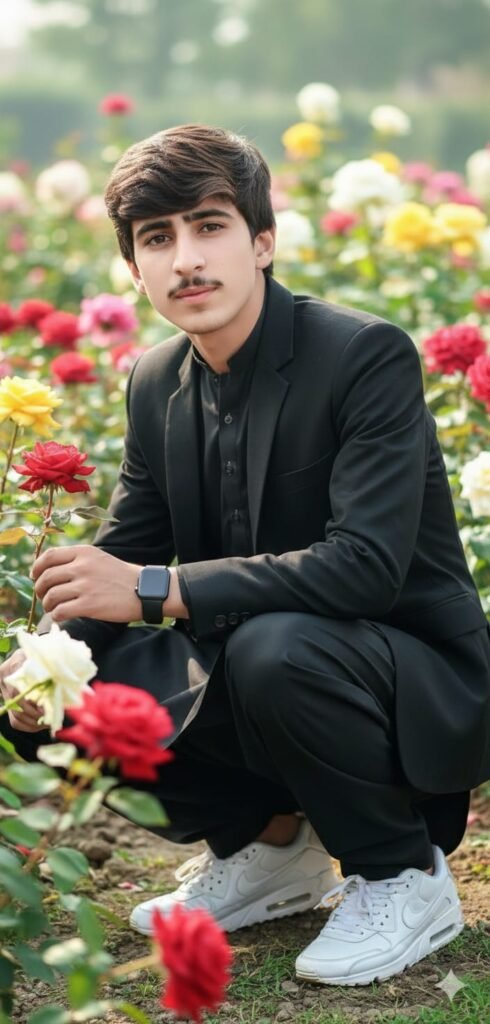
Create an ultra-realistic 8K Ultra HD portrait of the young man from the uploaded photo. His face must be a 100% exact match to the provided image with no changes. The young man should be sitting in a stylish crouched position in a rose garden, holding a rose in his hand. There should be rose bushes in the background and sides. He is wearing a shalwar kameez and stylish blazer, white Nike Air Max sneakers, and a black smartwatch. His hair is styled with volume on the right side. The image must be crystal clear."
Best Photos to Use
Not every photo works for this style. Some pictures already have too many colors or objects in the background. Simple photos usually give better results.
Here are a few good choices:
- Outdoor daylight pictures
- Portrait shots with clear face visibility
- Photos with soft backgrounds
- Casual clothing pictures
- Nature or street-style photos
Avoid super dark images if possible. Flower edits look better when the lighting is decent.
Small Tips That Actually Help
A lot of people jump straight into editing without checking the original picture. That’s where things go wrong.
Try these simple things first:
Keep the Original Photo Clear
Blurred photos become worse after editing. Even the best effects can’t fully fix a low-quality image.
Don’t Add Too Many Flowers
This happens a lot. People add flowers everywhere and the photo starts looking crowded. A few natural flowers are enough.
Use Soft Colors
Light pink, white, yellow, or orange flowers usually look more natural. Neon colors can ruin the calm vibe.
Match the Mood
If the picture is serious, use softer flowers. If it’s a happy outdoor shot, brighter flowers can work nicely.
Why This Trend Is Growing Fast
Social media changed photo editing completely. People now want edits that feel “real” instead of super edited. Natural flower editing fits perfectly into that style.
Also, boys are trying more creative edits now. Earlier, flower edits were mostly used in girls’ photos online. But now everyone is experimenting with different aesthetics.
I think another reason is simplicity. These edits are visually attractive without looking too complicated.
Common Mistakes People Make
One big mistake is over-editing the skin. Smooth skin can quickly make the face look plastic.
Another issue is bad background matching. Sometimes flowers are added with different lighting, and it looks strange immediately.
And honestly, too much sharpness can ruin the softness of the image.
Keeping things balanced is usually the smarter choice.
Is This Editing Style Good for Social Media?
Yeah, definitely. These edits work really well for profile pictures, reels, wallpapers, and Instagram posts.
I have seen many creators use this style because it catches attention without looking loud. It gives a calm and stylish vibe at the same time.
Even simple photos can start looking premium with the right natural touch.
FAQs
1. What is Google Gemini boys natural flowers photo editing?
It is a soft and realistic editing style where flowers are added naturally to boys’ portraits for an aesthetic look.
2. Which photos work best for this editing style?
Outdoor photos with natural light and simple backgrounds usually work the best.
3. Can beginners try this type of editing?
Yes, beginners can easily try it. Simple edits often look better than heavy effects anyway.