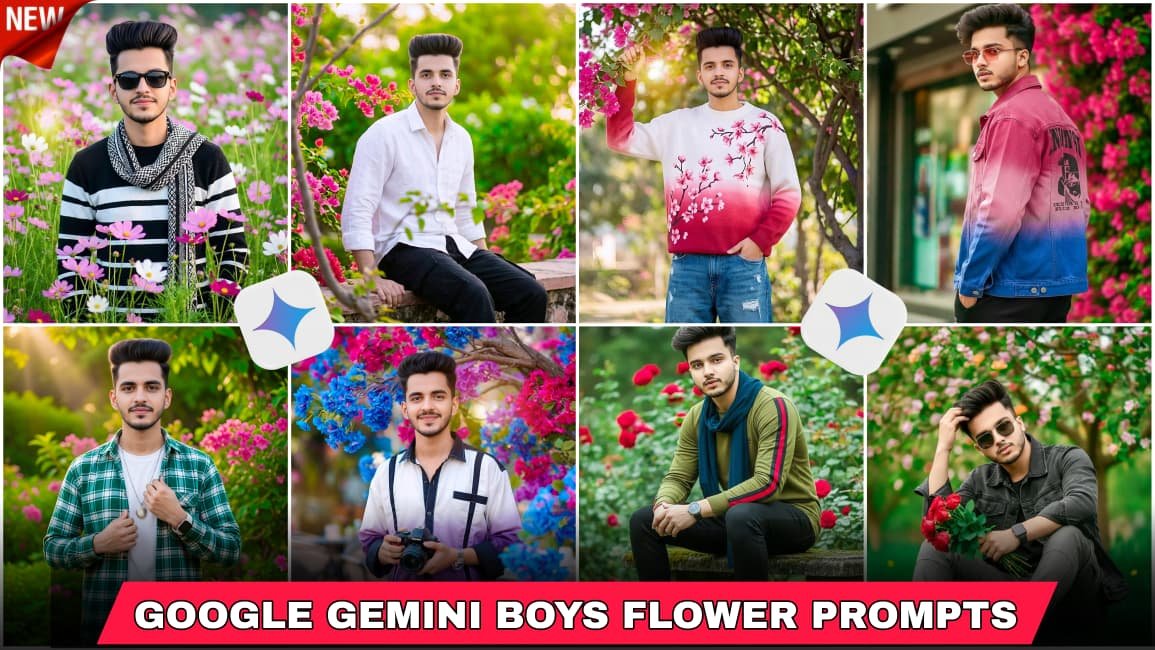
These days almost everyone is trying AI photo editing. Open Instagram, TikTok, or even WhatsApp status… you will see those stylish boys photos with flowers, soft colors, clean background, and super real faces. A lot of people are calling it the “Google Gemini Boys Flowers” editing style now.
Honestly, I have seen that many users first think these photos are made by professional editors. But nope, most of them are using AI tools and just giving good instructions. The cool part is the face still looks real and natural if done properly.
That’s why this trend became huge in 2026.
The main idea is pretty simple. You take a normal photo and turn it into a stylish portrait with flowers around, soft lighting, smooth skin, and cinematic mood. Some edits look too fake though. Many people try this but make the skin too plastic or the eyes too shiny. Then the photo starts looking weird.
A realistic face is the most important thing here.
Sometimes it doesn’t work perfectly, and that’s okay. AI editing still makes mistakes here and there.
Why This Editing Style Became Popular
People like photos that look aesthetic but still natural. That’s basically why this trend exploded. The flowers give a soft look while the face still keeps real details.
Also, boys usually don’t like over-edited photos. This style keeps things balanced. Not too much makeup-style editing. Just clean and sharp.
I noticed that darker backgrounds with colorful flowers work really well. White flowers, roses, sunflowers, or even blurry floral backgrounds are common now.
And yeah, good lighting changes everything.
Google Gemini boys flowers photo editing prompt
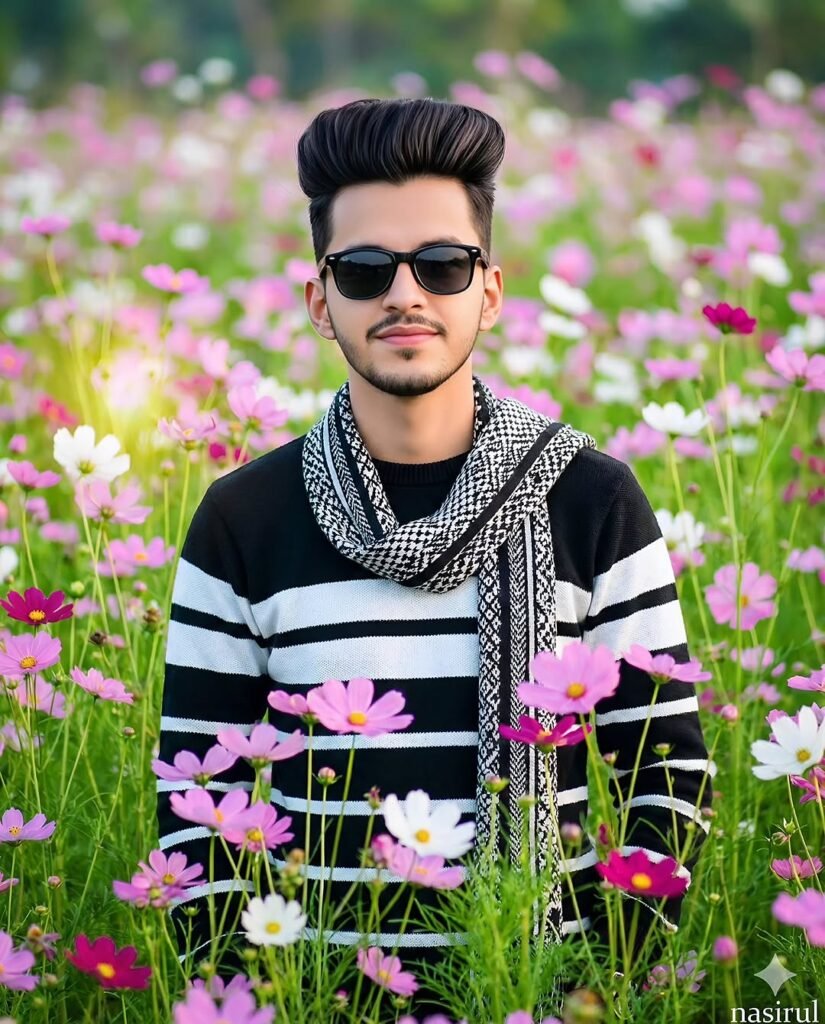
A high-quality, realistic portrait of a young man standing in the middle of a vibrant field of cosmos flowers. He has styled dark hair and is wearing black sunglasses, a black and white horizontal striped sweater, and a patterned black and white scarf draped around his neck. The field is filled with pink, white, and purple flowers with lush green stems. The background is softly blurred with a beautiful bokeh effect, creating a shallow depth of field. Bright, natural, soft daylight. Text nasirul
Google Gemini boys flowers photo editing prompt
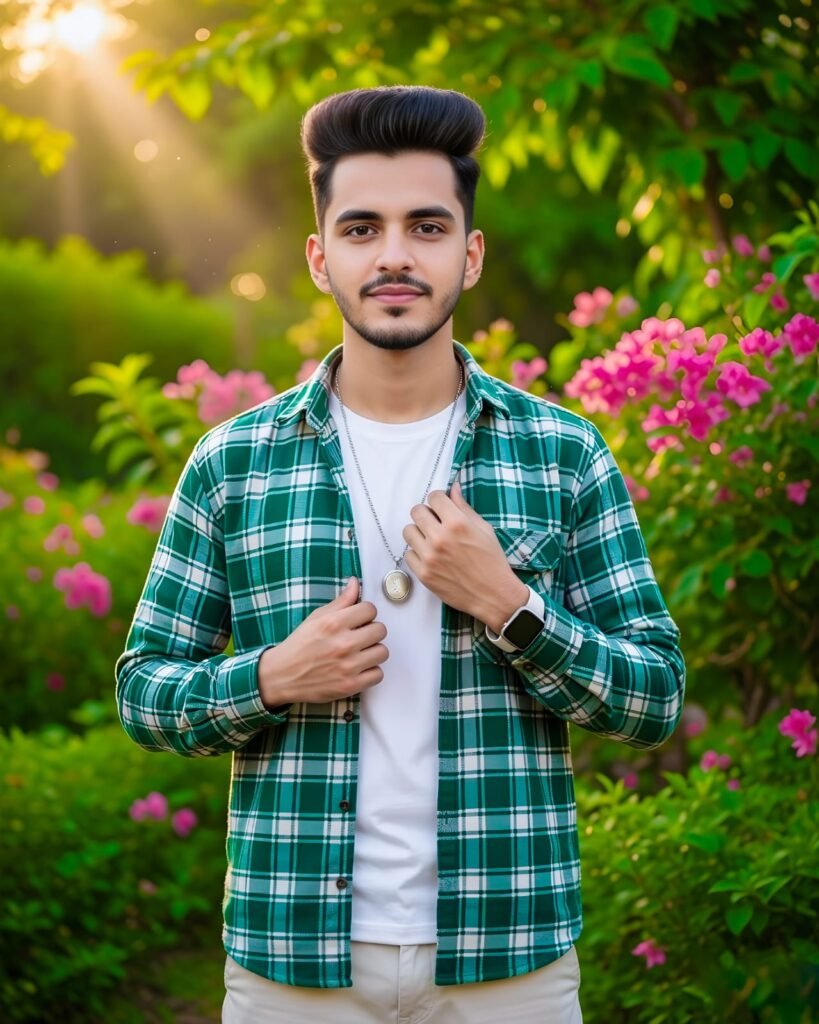
Create a highly realistic 8K cinematic waist-length portrait using the uploaded image as facial reference (no face or hairstyle changes). A stylish young man with black hair and a straight build stands upright, soft expression. He wears a green-white shirt over a white T-shirt, silver locket, white smartwatch, and light pants slightly visible. His right hand is buttoning his shirt. Background with lush green leaves and bright pink flowers, rich cinematic lighting, ultra-realistic details.
Google Gemini boys flowers photo editing prompt

The man sits casually on a garden ledge surrounded by vibrant bougainvillea flowers. looking slightly upward. His voluminous dark hairstyle and loose white full-sleeve shirt with black cargo pants create a stylish contrast against the lush, blurred greenery. Soft, high-key sunlight filters through the leaves, forming glowing bokeh and natural depth. The foreground contains out-of-focus green branches enhancing the dreamlike tone. "Keep my face 100% same as in the reference image, face unchange
Google Gemini boys flowers photo editing prompt
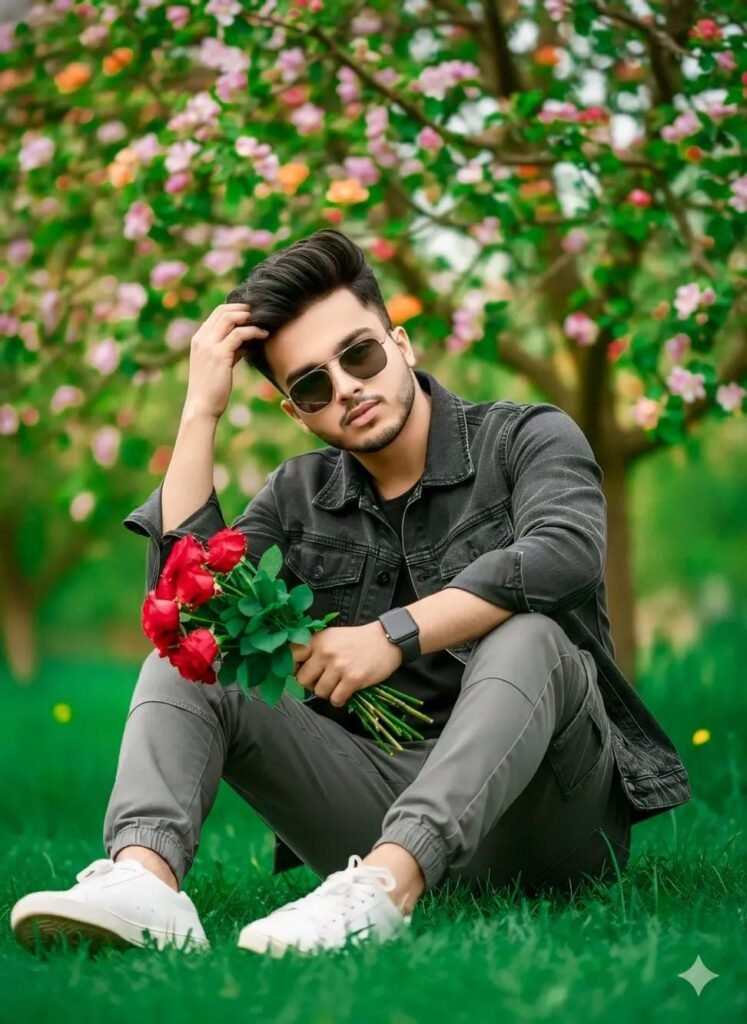
Create a photo of a same year boy, keep my face 100% same in the reference image, in a green garden, wearing dark grey denim jacket, grey jagger cargo pants, sitting he is in a stayle, with one green with Roses red in hands. touching side part haircut, whiteSneakers, in the background is a blooming apple tree with light green leaves flower and purple pink orange flowers, hand smart watch, DSLR level sharpness, natural colours, realistic shadows, green ton, stylish sunglasses.
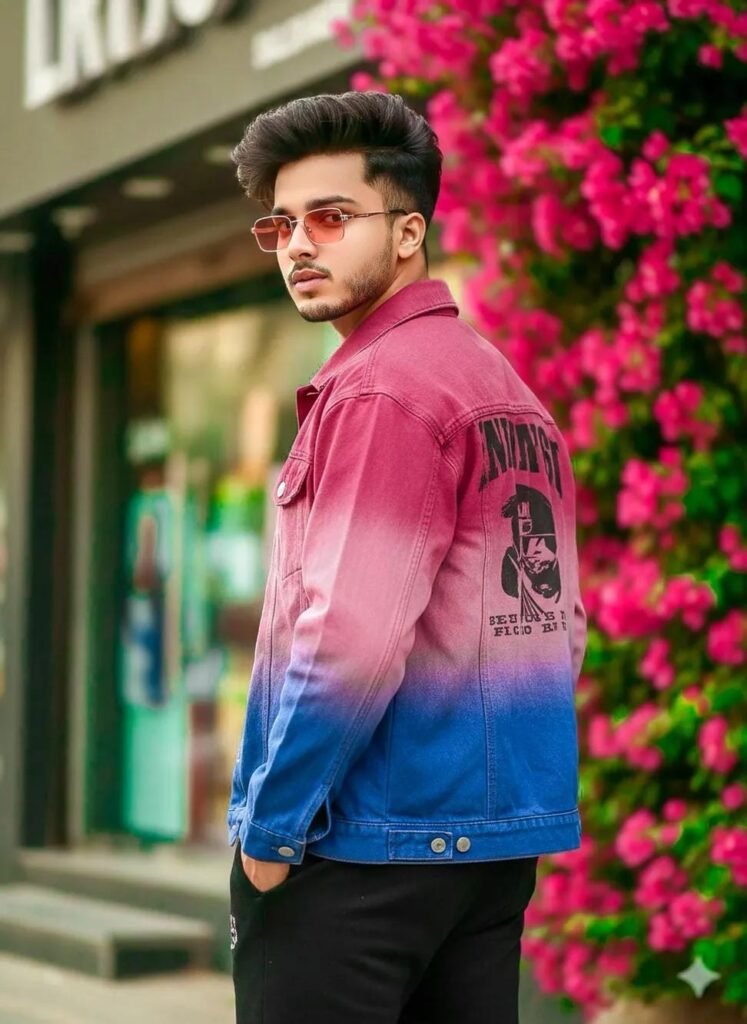
Google Gemini boys flowers photo editing prompt
A high-quality, realistic portrait of a stylish young man with a voluminous pompadour hairstyle and subtle highlights. wearing a trendy oversized ombre denim jacket (transitioning from dark pink to blue) with a graphic print on the back. Black jagger, Light eye Pink sunglasses, He is posing with a side profile look, looking over his shoulder. The background features vibrant pink bougainvillea flowers and a blurred urban storefront, creating a soft bokeh effect. Natural light, cinematic lighting.
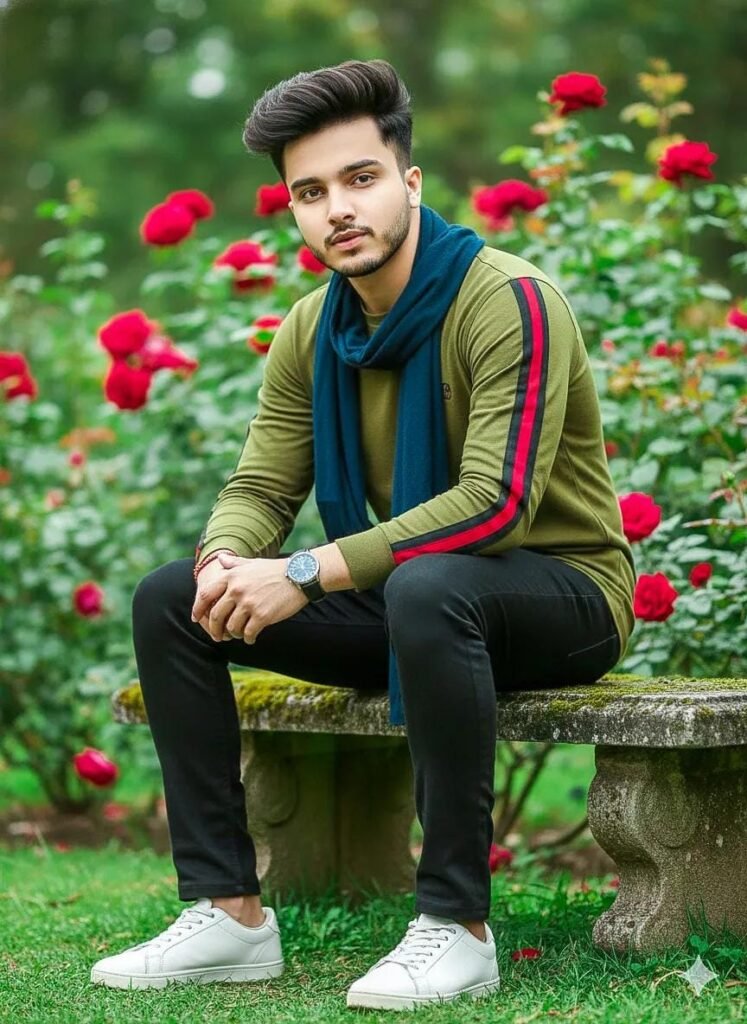
A stylish young man sitting on a stone bench in a garden full of red roses, mustard green long-sleeve shirt, black-red side stripes, black slim-fit pants, whitesneakers, watchs, a dark navy scarf draped around his neck. He has well-groomed messy hair styled upward, a neatly trimmed beard, a calm confident expression. Soft natural daylight, shallow depth of field, creamy bokeh background, cinematic portrait photography, realistic skin texture, sharp focus, DSLR quality, 85mm lens, f/9.16,

Google Gemini boys flowers photo editing prompt
Genrate Creative 8k hyper-realistic blue tial theme fashion portrait with smile actions. (uploaded photo 100% face match) of stylish handsome young man (refrence image given) with a slightly dark hairstyle and wearing a white black & purple gradient half lineing shirt and white lose pant. He hold a Canon camera, He is looking thoughtfully camera, captured in a candid, high-key cinematic cafe outdoor portrait The composition is framed by a branch of vivid colorfull in bg.The boy's teeth should not be visible. The boy is also wearing a watch on his left wrist
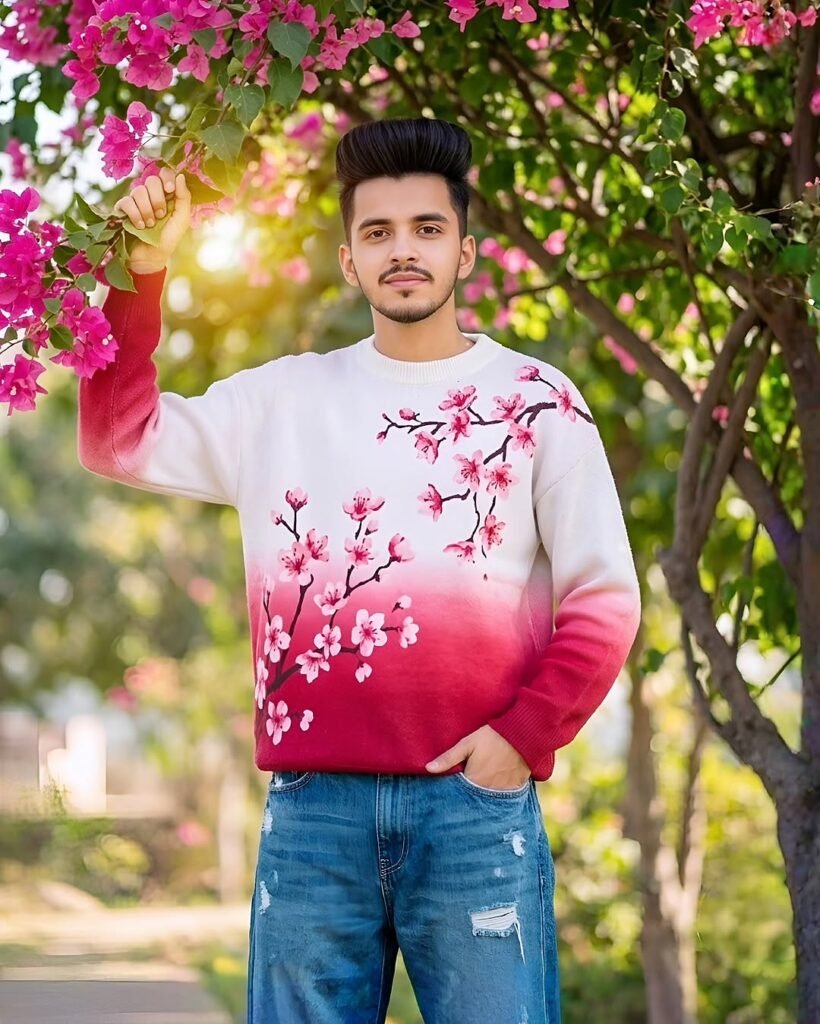
Google Gemini boys flowers photo editing prompt
8k resolution portrait of young man(same person in image, exactly same facial feature with stylish hair yet styled. outdoors under pink bougnvel, green tree branches; one hand raised holding a thick branch, other hand in pocket….. the boy he is wearing able to lose scratch jeans and gradient colour Cherry red and white Kent wool sweater with cherry blossom pink flower printed.Keep my face exactly the same from the uploaded reference photo, do not change my facial structure, eyes, or hair
How to Use Google Gemini for 100% Real Face Results
It’s easy! Just follow these quick steps:
- Open the Google Gemini app or website.
- Upload your clear selfie (front face works best).
- Copy and paste a strong prompt.
- Hit generate and download your new photo.
How People Usually Create These Photos
Most users start with a clear selfie. Front camera photos can work, but back camera pictures usually look better because they have more details.
After that, they use AI editing tools like Gemini-based editors or photo apps that support AI image generation. Then they describe the style they want.
The best results usually happen when:
- The face is visible clearly
- The background is not messy
- Lighting is decent
- The photo is not too blurry
One thing I always notice — natural expressions look much better than serious “model face” poses. Slight smile, relaxed face, normal posture… somehow AI handles those better.
Real Face Look Matters More Than Effects
A lot of people focus too much on flowers and effects. But honestly, the face quality matters more.
If the face changes too much, the photo loses its charm. Friends can instantly tell it’s fake AI editing.
Good editing should keep:
- Original face shape
- Natural skin texture
- Real eye details
- Hair looking normal
Too much smoothing ruins the image fast.
I have seen edits where the jawline becomes completely different from the real person. It may look cool for a second, but it doesn’t feel real anymore.
Small Tips That Actually Help
Here are a few simple things that make a big difference:
Use a high-quality original photo
Low-quality pictures confuse AI tools. The final result becomes messy sometimes.
Don’t overdo filters
Soft editing looks better than heavy editing.
Keep flowers balanced
Too many flowers covering the face just looks awkward honestly.
Try different lighting styles
Warm light gives a calm mood. Blue lighting gives more cinematic vibes.
Fix small mistakes manually
Sometimes AI adds extra fingers, weird ears, or strange hair. Just correct those parts using normal editing apps.
Yeah, AI still does funny mistakes sometimes.
Is Google Gemini Good for This?
For realistic editing styles, Gemini-based tools are getting much better now in 2026. Skin texture, shadows, and face details look more natural compared to older AI edits.
But results still depend on the original image and editing style.
Some users expect movie-level results from blurry selfies. That usually doesn’t happen.
Good input = better output. Simple as that.
FAQs
1. Can beginners make these edits?
Yes, definitely. Even basic users can create nice edits if the original photo is clear.
2. Why do some AI photos look fake?
Mostly because of too much smoothing, extra effects, or bad lighting in the original image.
3. Which photos work best for this style?
Clear selfies with simple backgrounds and natural lighting usually give the best results.
At the end of the day, this trend is fun because it mixes style with realism. The best edits are the ones where people say, “Wait… is this real or edited?” That balance is what makes these photos stand out now.h golden hour lighting and bokeh background works best.