A few months ago, I was scrolling through Instagram and noticed something interesting. Two creators were using the same smartphone camera, but one person’s videos looked incredibly cinematic while the other looked plain and unedited.
At first, I assumed the difference came from an expensive camera or professional editing software. Later, I found out that most of the visual magic was coming from color grading presets, especially 3D LUTs.
That discovery led me to test several mobile video editing apps that support LUTs. Some were complicated, some locked their best features behind subscriptions, and others simply didn’t perform well on mid-range phones.
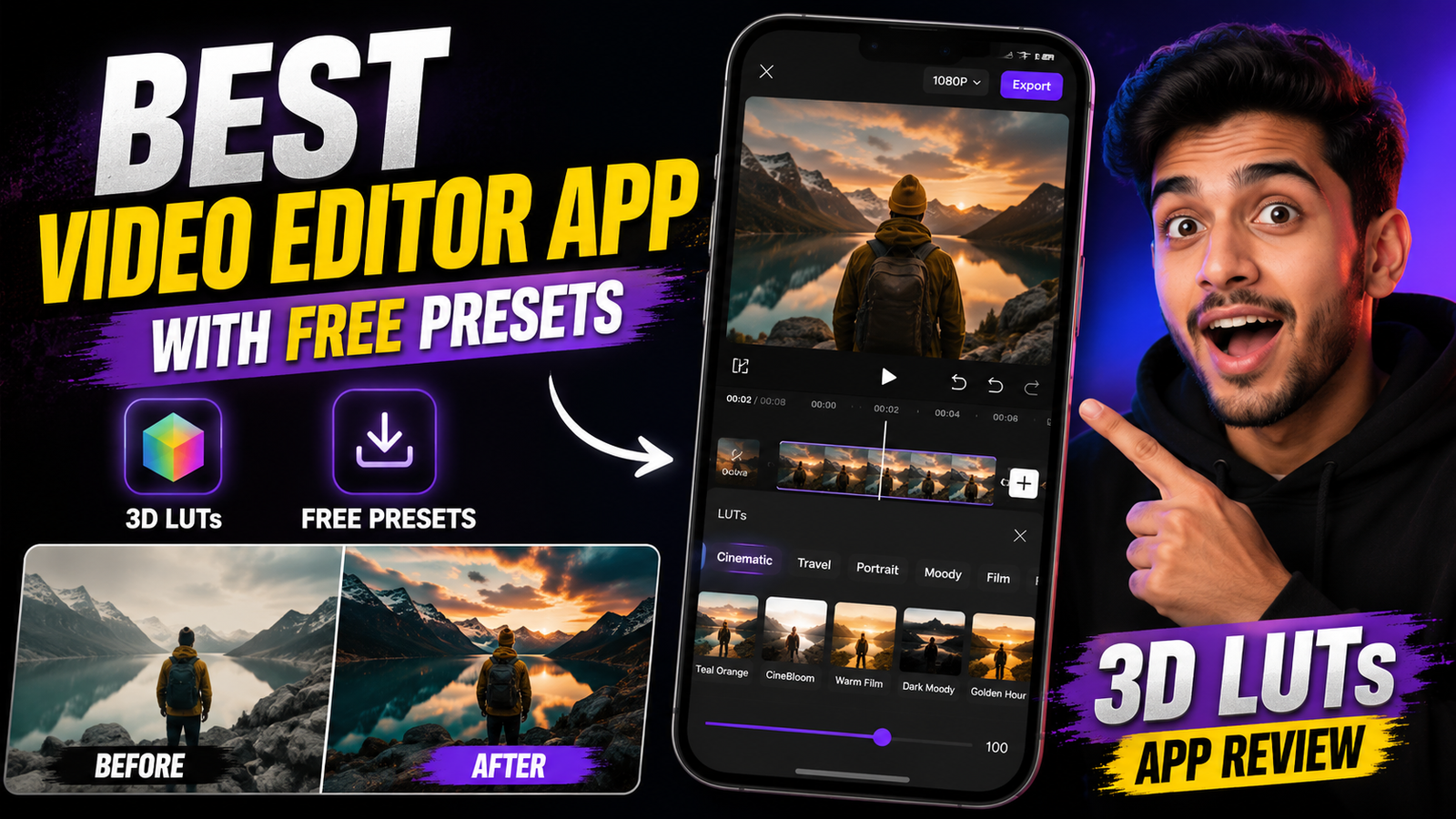
After trying multiple options, I spent a lot of time using the 3D LUTs App, and it quickly became one of my favorite tools for fast video color grading. If you’re looking for a video editor with free presets that can dramatically improve your footage without requiring advanced editing skills, this review will help you decide whether it’s worth downloading.
What Is the 3D LUTs App?
The 3D LUTs App is a mobile video editing application focused on color grading. Instead of manually adjusting brightness, contrast, saturation, shadows, and highlights one by one, the app allows you to apply LUTs (Look-Up Tables) instantly.
Think of LUTs as filters, but much more advanced.
A good LUT can completely transform the mood of your footage. It can make a normal smartphone video look warmer, cooler, cinematic, vibrant, vintage, or even movie-like with just a single tap.
What impressed me most was how beginner-friendly the app felt compared to some professional editing software.
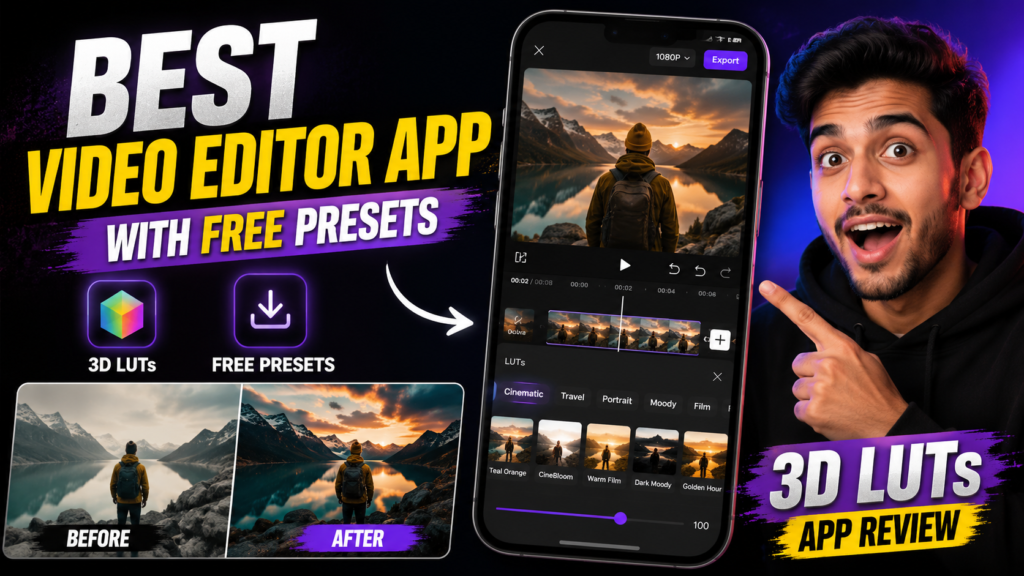
My First Experience Using the App
The first video I tested was a simple outdoor clip recorded on my phone during sunset.
The original footage looked decent, but the colors appeared a little flat. After importing the clip into the 3D LUTs App, I started experimenting with the free presets.
Within seconds, I noticed a huge difference.
One cinematic LUT added rich contrast and deeper colors without making the footage look unnatural. Another preset gave the video a soft film-style appearance that reminded me of content from popular travel creators.
What surprised me was that I didn’t need any editing knowledge to achieve these results.
Most of the work was already done by the preset.
Features That Stand Out
1. Large Collection of LUT Presets
One of the biggest reasons people download this app is the preset library.
The app includes various LUT styles such as:
- Cinematic looks
- Travel presets
- Moody color grades
- Vintage effects
- Bright and vibrant looks
- Film-inspired color profiles
- Social media-friendly styles
Instead of spending hours adjusting colors manually, users can test multiple looks in minutes.
2. Beginner-Friendly Interface
Many editing apps overwhelm users with dozens of buttons and technical settings.
The 3D LUTs App keeps things simple.
Even if you’ve never edited a video before, you can usually figure out the basics within a few minutes.
The workflow is straightforward:
Import video → Select LUT → Adjust intensity → Export.
That’s it.
3. Quick Processing Speed
I tested the app on a mid-range Android device and was pleasantly surprised by the rendering speed.
Some video editing apps become sluggish when applying effects, but the 3D LUTs App handled short social media clips smoothly.
Of course, performance will vary depending on your device, but overall it felt responsive.
4. Adjustable LUT Strength
One mistake many beginners make is applying a preset at full intensity.
Sometimes the effect becomes too strong and makes footage look unrealistic.
Thankfully, the app allows you to adjust the strength of most LUTs.
This feature helped me create more natural-looking edits instead of overprocessed videos.
5. Suitable for Short-Form Content
If you create content for:
- Instagram Reels
- TikTok videos
- YouTube Shorts
- Facebook Reels
The app can save a lot of editing time.
A good preset often eliminates the need for complicated color correction.
Step-by-Step: How I Edit Videos Using 3D LUTs App
If you’re new to LUT-based editing, here’s the process I usually follow.
Step 1: Record Quality Footage
No preset can completely fix poor footage.
Try to:
- Use good lighting
- Keep your camera stable
- Avoid excessive digital zoom
- Record in the highest quality available
Better footage always produces better results.
Step 2: Import Your Video
Open the app and select the video you want to edit.
The importing process is generally quick for short clips.
Step 3: Browse the LUT Library
This is where the fun begins.
I usually test several LUTs before deciding which one matches the mood of the video.
For example:
Travel clips often look great with cinematic LUTs.
Food videos usually benefit from vibrant color presets.
Nature footage can work well with contrast-rich film looks.
Step 4: Reduce Intensity if Necessary
This is probably the most important step.
Many creators apply a LUT and leave it at 100%.
In my experience, reducing the intensity to around 60–80% often produces a more professional result.
Step 5: Preview the Video
Watch the entire clip before exporting.
Sometimes colors that look amazing in one scene may appear too strong in another.
Step 6: Export and Share
Once satisfied, export the video and upload it to your preferred platform.
The whole process usually takes only a few minutes.
Real-World Use Cases
Travel Videos
During a recent trip, I recorded several outdoor clips using my smartphone.
The footage looked fine, but lacked the dramatic colors often seen in travel content.
Applying a cinematic LUT instantly improved the overall atmosphere.
Blue skies became richer, greenery looked more vibrant, and the video felt more polished.
Lifestyle Content
Many lifestyle creators want a clean and aesthetic appearance.
The app offers several soft color grades that work well for indoor footage, coffee shop videos, desk setups, and daily vlogs.
Product Showcases
If you’re promoting products on social media, color grading can make a noticeable difference.
I tested a few presets on a simple gadget review clip and found that the right LUT helped make the product stand out without looking overly edited.
Social Media Reels
Fast editing is essential when creating short-form content regularly.
The app’s preset-based workflow significantly reduces editing time.
Instead of spending 20 minutes color grading, you can achieve a similar look in just a few taps.
Common Mistakes to Avoid
While using the app, I noticed a few mistakes that beginners often make.
Applying Every Effect at Maximum Strength
More isn’t always better.
Overly strong LUTs can make footage appear unrealistic.
A subtle edit usually looks more professional.
Ignoring Lighting Conditions
Some LUTs work better in bright outdoor scenes, while others perform best indoors.
Don’t assume one preset will suit every video.
Using Low-Quality Source Footage
A LUT enhances footage—it doesn’t create quality from nothing.
Blurry or poorly exposed videos will still have limitations.
Choosing Style Over Consistency
Many creators constantly switch between completely different looks.
Building a consistent editing style often helps your content feel more professional.
Pros and Cons
Pros
- Easy to use
- Beginner-friendly interface
- Good selection of free LUT presets
- Fast workflow
- Great for social media creators
- Quick color grading results
- Adjustable LUT intensity
Cons
- Advanced editors may want more manual controls
- Some premium LUT packs may require payment
- Results depend heavily on footage quality
Is the 3D LUTs App Worth Downloading?
After spending considerable time testing the app, I believe it offers excellent value for creators who want cinematic-looking videos without learning complex color grading techniques.
The biggest advantage is speed.
Instead of spending hours tweaking settings, users can apply professional-looking LUTs in seconds.
It’s especially useful for beginners, content creators, influencers, and anyone producing short-form videos on a regular basis.
If your goal is to make smartphone footage look more polished, cinematic, and visually appealing while keeping the editing process simple, the 3D LUTs App is definitely worth trying.
Not every preset will work perfectly for every scene, but with a little experimentation, you can find looks that genuinely elevate your videos and help your content stand out on social media.