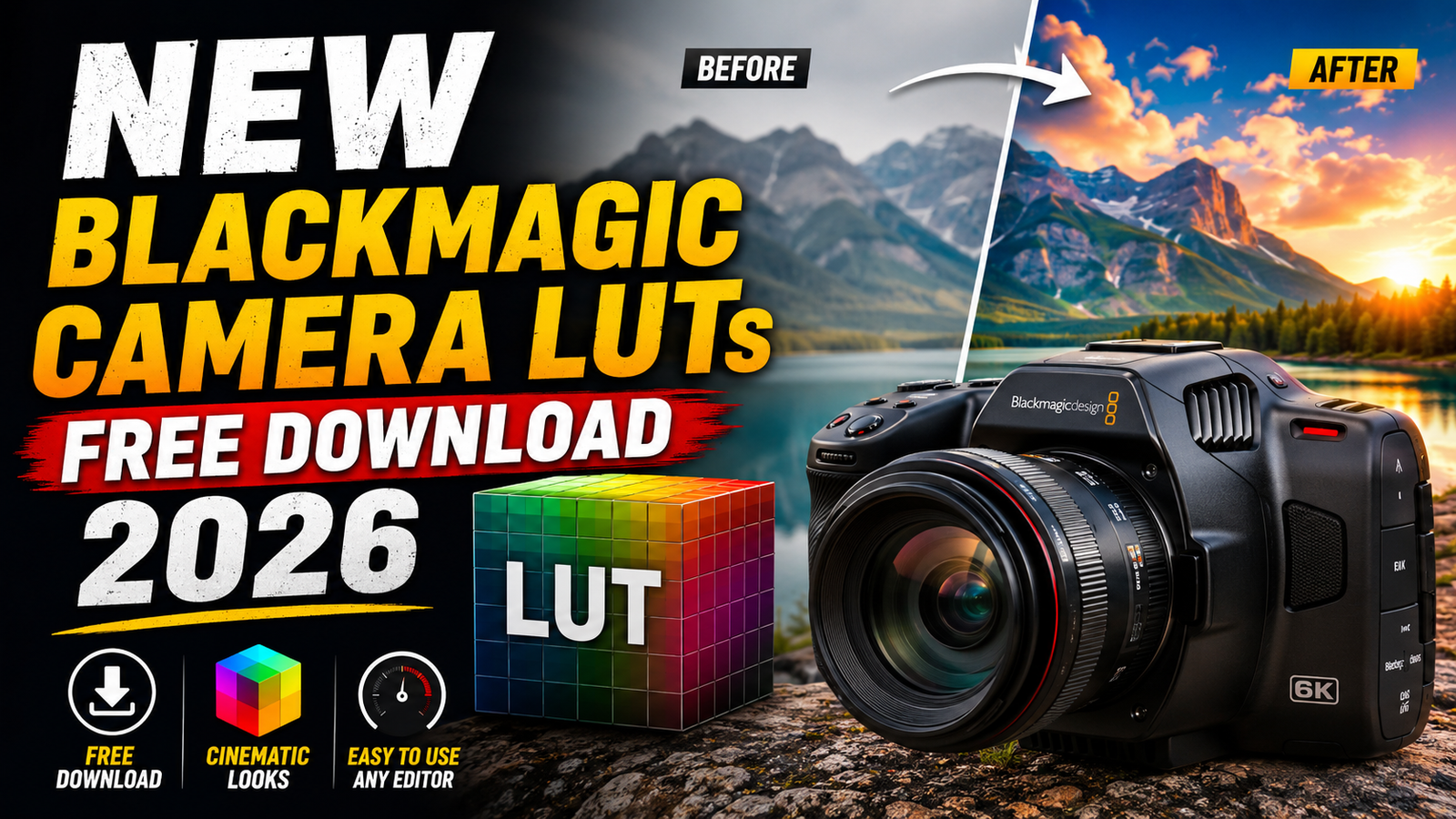
A few weeks ago, I was editing some footage shot on a Blackmagic camera for a client project. The footage looked amazing in terms of detail, but straight out of the camera it appeared flat, washed out, and honestly a little disappointing at first glance.
If you’ve ever worked with Blackmagic RAW or Log footage, you’ve probably experienced the same thing.
I remember showing a raw clip to a friend, and his first reaction was, “Why does it look so dull?” Five minutes later, after applying the right LUT, the footage looked completely different. Rich colors, better contrast, and a cinematic feel that made the footage come alive.
That’s exactly why LUTs have become an important part of my editing workflow.
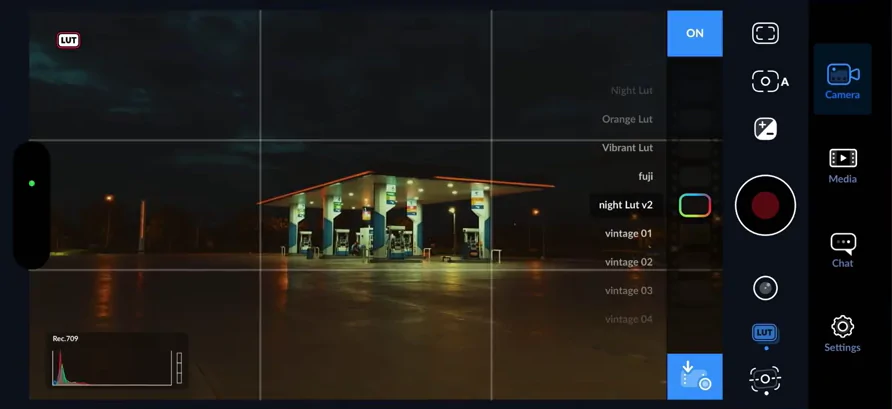
In this guide, I’ll share everything I’ve learned about the latest Blackmagic Camera LUTs for 2026, how to use them correctly, where they help the most, and some mistakes that can ruin your footage if you’re not careful.
What Are Blackmagic Camera LUTs?
LUT stands for Look-Up Table.
In simple terms, a LUT is like a preset that changes the colors and contrast of your footage. Instead of manually adjusting every color setting, a LUT gives you a starting point or a finished look with a single click.
Blackmagic cameras often record footage in a flat profile to preserve maximum dynamic range. This helps capture more details in highlights and shadows.
The downside?
The footage doesn’t look impressive until it’s properly color graded.
That’s where LUTs come in.
A good LUT can instantly transform flat footage into something that looks closer to what your eyes actually saw during filming.
Why I Started Using LUTs More Often
When I first started editing Blackmagic footage, I tried doing every color adjustment manually.
At first, it felt like the professional way to work.
After a few projects, reality hit.
Spending 30 to 45 minutes color grading every clip wasn’t practical when dealing with large projects.
I started testing different LUTs and quickly realized they could save a huge amount of time.
Instead of building every look from scratch, I could apply a LUT and then make small adjustments based on the scene.
The result was faster editing without sacrificing quality.
What’s New in Blackmagic Camera LUTs for 2026?
The newer LUT packs available in 2026 are generally designed around modern workflows and higher dynamic range footage.
Many of them offer:
- Better highlight recovery
- Improved skin tone rendering
- Cleaner shadows
- Cinematic contrast curves
- Social media friendly color profiles
- HDR-inspired looks
- Film-inspired color styles
I’ve noticed that newer LUTs also tend to be less aggressive compared to older packs.
A few years ago, many LUTs pushed saturation too hard, making footage look unrealistic.
Most modern LUTs focus on maintaining natural colors while enhancing the overall image.
Best Software for Using Blackmagic LUTs
The good news is that Blackmagic LUTs work with most major editing applications.
Here are the tools I regularly use:
DaVinci Resolve
This is my personal favorite.
Since Blackmagic owns DaVinci Resolve, the integration feels seamless.
Importing LUTs takes only a few seconds, and the color grading tools are among the best available.
Adobe Premiere Pro
Many editors prefer Premiere because of its familiar workflow.
Applying LUTs is straightforward through the Lumetri Color panel.
Final Cut Pro
Mac users often use Final Cut Pro for fast editing.
Most LUT packs work perfectly here as well.
CapCut Desktop
This surprised me.
Several creators now use professional LUTs inside CapCut Desktop for quick social media edits.
While it isn’t as powerful as DaVinci Resolve, it’s convenient for short-form content.
How to Install Blackmagic LUTs
If you’re new to LUTs, don’t worry.
The process is usually very simple.
In DaVinci Resolve
Step 1:
Download the LUT files.
Step 2:
Open DaVinci Resolve.
Step 3:
Go to Project Settings.
Step 4:
Open Color Management.
Step 5:
Locate LUT folders.
Step 6:
Import the downloaded LUT files.
Step 7:
Refresh the LUT library.
Step 8:
Apply the LUT to your footage from the Color page.
That’s it.
The LUT will now be available for all future projects.
My Recommended Workflow
One mistake I made early on was applying a LUT and immediately exporting the project.
The results weren’t always great.
Now I follow a simple workflow.
Step 1: Correct Exposure
Before applying any LUT, I adjust:
- Exposure
- White balance
- Contrast
This gives the LUT a better foundation.
Step 2: Apply LUT
I apply the LUT after making basic corrections.
Step 3: Lower LUT Intensity
Many editors skip this step.
I often reduce LUT intensity to around 50–80%.
This helps preserve natural colors.
Step 4: Fine-Tune
After that, I adjust:
- Shadows
- Highlights
- Saturation
- Skin tones
These small tweaks make a huge difference.
Real-World Example
Last month, I filmed a sunset scene using Blackmagic footage.
The original clip looked flat but contained excellent detail.
I tested three different LUTs.
The first LUT made the sky overly orange.
The second LUT crushed shadow details.
The third LUT enhanced the warm tones while preserving natural colors.
After lowering the LUT strength slightly, the footage looked exactly how I remembered the scene.
That experience reminded me that LUTs should enhance footage, not completely change it.
Best Use Cases for Blackmagic LUTs
Travel Videos
LUTs can make landscapes more vibrant while keeping colors balanced.
YouTube Content
Creators often use LUTs to create a consistent visual style across videos.
Wedding Films
Soft cinematic LUTs work especially well for wedding footage.
Short Films
Film-inspired LUTs can add mood and character to storytelling projects.
Instagram Reels
Social media content benefits from stronger contrast and vibrant colors.
Common Mistakes to Avoid
Over the years, I’ve seen several mistakes repeated by beginners.
Applying LUTs to Incorrect Footage
Many LUTs are designed specifically for Log footage.
Using them on already color-corrected clips can create strange results.
Using Multiple LUTs Together
Stacking several LUTs usually causes problems.
Colors become unnatural and difficult to control.
Ignoring Exposure
A LUT cannot fix badly exposed footage.
Always correct exposure first.
Excessive Saturation
Many editors increase saturation after applying a LUT.
This often leads to unrealistic colors.
Forgetting Skin Tones
The human eye notices bad skin tones immediately.
Always check faces after applying a LUT.
Are Free LUTs Worth Using?
Absolutely.
Some of the best LUTs I’ve tested were completely free.
The key is choosing LUTs from trusted creators and testing them on your own footage.
Not every LUT works for every project.
A LUT that looks incredible on outdoor footage may perform poorly indoors.
That’s why I always keep multiple LUT options available.
Tips for Getting Better Results
Here are a few habits that improved my color grading significantly:
- Shoot in the highest quality available.
- Keep ISO as low as possible.
- Use proper white balance during filming.
- Expose footage correctly.
- Apply LUTs as a starting point rather than a final solution.
- Make small adjustments instead of dramatic changes.
- Compare before and after versions regularly.
These simple practices produce better results than relying solely on LUTs.
Why Blackmagic Footage Responds So Well to LUTs
One reason editors love Blackmagic cameras is the amount of color information they capture.
Even when footage appears flat initially, there’s a lot of hidden detail available for grading.
Because of this, LUTs often produce smoother and more professional-looking results compared to heavily compressed footage from some smartphones or action cameras.
The flexibility is one of the biggest reasons many creators continue using Blackmagic cameras for commercial work, YouTube projects, documentaries, and short films.
Final Thoughts
After working with Blackmagic footage on multiple projects, I’ve learned that LUTs are not magic filters. They won’t fix poor lighting, bad exposure, or weak composition.
What they do exceptionally well is speed up the color grading process and provide a strong creative starting point.
The latest Blackmagic Camera LUTs released and shared throughout 2026 focus more on natural colors, cleaner contrast, and better cinematic looks than many older LUT packs. When combined with proper shooting techniques and a few manual adjustments, they can help transform flat footage into polished, professional-looking videos.
If you’re downloading new Blackmagic LUTs this year, spend some time testing them on different clips rather than applying them blindly. The best results usually come from small adjustments and understanding what each LUT is designed to do.
That’s the approach that has consistently given me the most reliable results, whether I’m editing travel videos, YouTube content, client projects, or cinematic reels.